# Read Server Config
By Default, every server launches with a "playflow\.json" inside of the root folder which has a number of items in there to help you, the developer, determine a bunch of things. Whether that be what type of gamemode this is, how teams should be split, their roles, etc.
{% hint style="success" %}
ALWAYS ensure that you are reading your server config as fast as your game server launches so that you can sort things out before players connect to your game server. The asynchronous process is purely so that it can find the node and parse out the information.
{% endhint %}
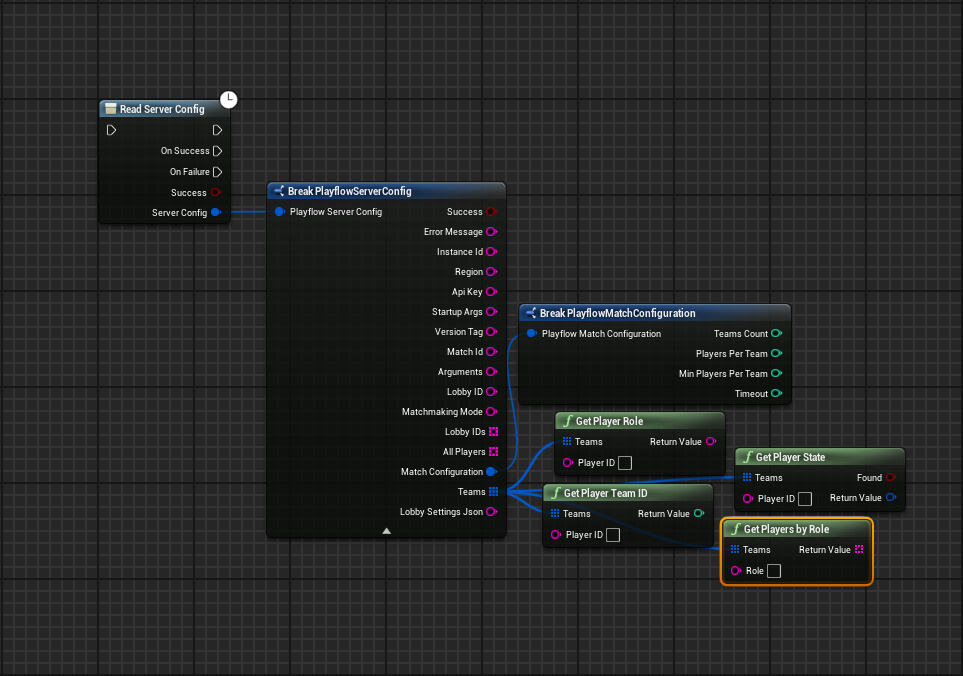
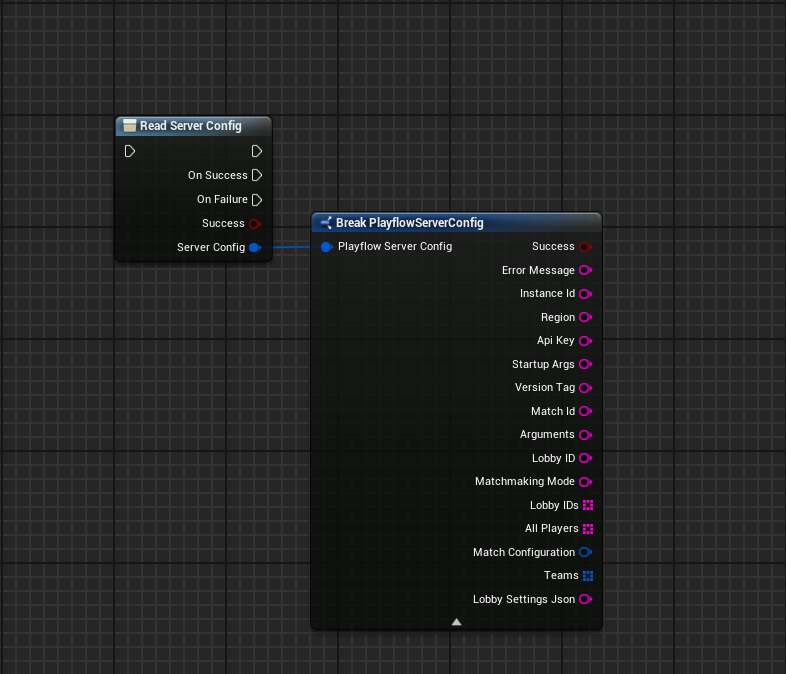
This node reads the playflow\.json file for you and returns back all the information you may need.
We'll go over these nodes one by one in following documents but we'll focus on Read Server Config and it's subset break Playflow Server Config.
This node directly returns the playflow\.json that it finds with all the information you could possibly need.